Manage every room from one dashboard.
Connect Google Workspace or Microsoft 365. Pair physical displays to rooms. Open a virtual display link for any screen you already own. Pick which rooms appear on your overview display. See battery and sync status at a glance.
✓ No credit card · ✓ 3 displays free forever · ✓ 10-min setup
Manage every room from one dashboard.
The Lobby dashboard at app.usethelobby.com is where everything happens. Connect Google Workspace or Microsoft 365. Pair physical displays to rooms. Open a virtual display link for any screen you already own. Pick which rooms appear on your overview display. See battery and sync status at a glance. It’s simple enough that your office manager can run it without training.
- ✓ Connect and disconnect Google Workspace or Microsoft 365 room calendars
- ✓ Pair physical TRMNL displays to rooms in one click
- ✓ Open a secure virtual display URL for any browser, TV, or tablet
- ✓ Configure a room overview — pick rooms, sort order, grid size
- ✓ See battery level and last-sync time for every display
- ✓ Invite teammates with view-only or admin access
- ✓ Usage analytics: peak hours, room booking rates, per-room trends
- ✓ Real-time sync with every calendar change — no manual refresh
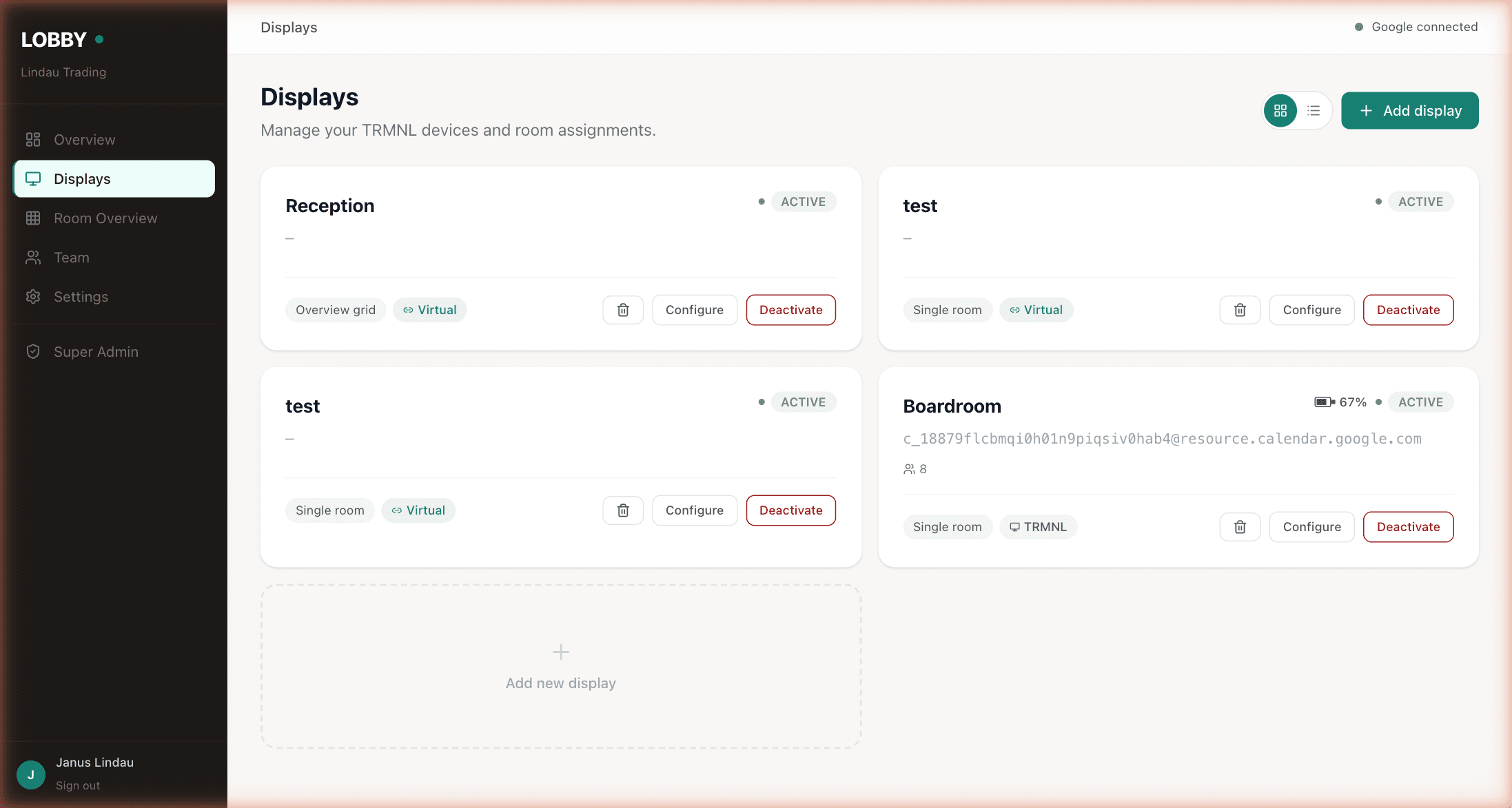
Mix TRMNL e-ink and browser-based displays in the same dashboard.
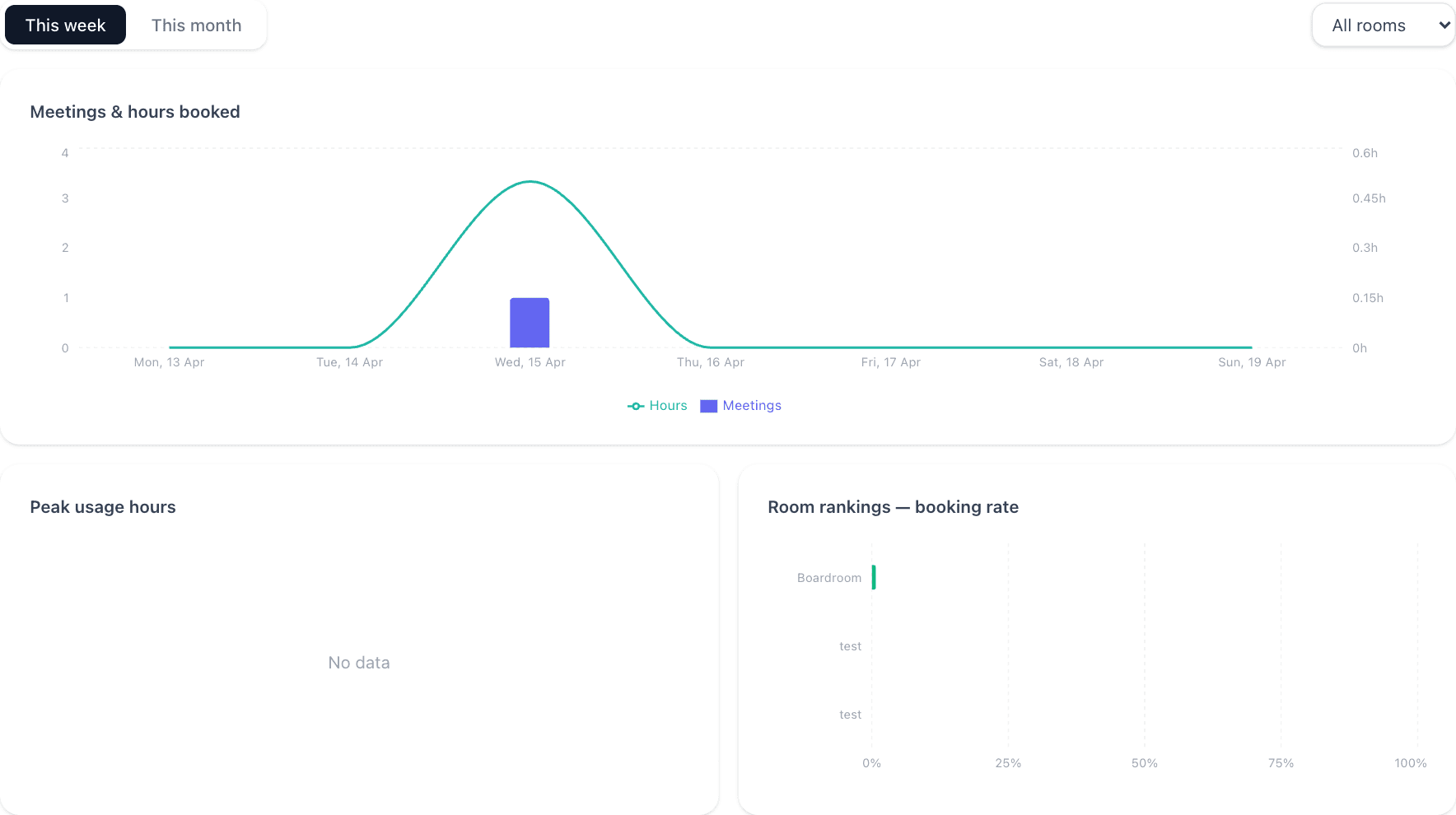
Per-room booking rates and peak-hours insight, included on every plan.
Ten minutes from now, your team will know which room is free.
Free forever for up to 3 displays. Works with your existing Google Workspace or Microsoft 365 calendar. No credit card, no sales call, no IT project.
Get started free →Free forever up to 3 displays · No credit card · Cancel anytime