Boards.
Every room, at a glance, on one big screen.
Mount a screen in reception, in the kitchen, or in the hallway outside the rooms. Rooms in use go dark; free rooms stay light. One glance answers “is there anywhere I can take this call?” without walking the floor.
✓ No credit card · ✓ 3 displays free forever · ✓ 10-min setup
Every room, at a glance, on one big screen.
One overview display summarises the whole office. Mount a screen in reception, in the kitchen, or in the hallway outside the rooms. Rooms currently in use go dark; free rooms stay light. One glance answers “is there anywhere I can take this call?” without walking the floor.
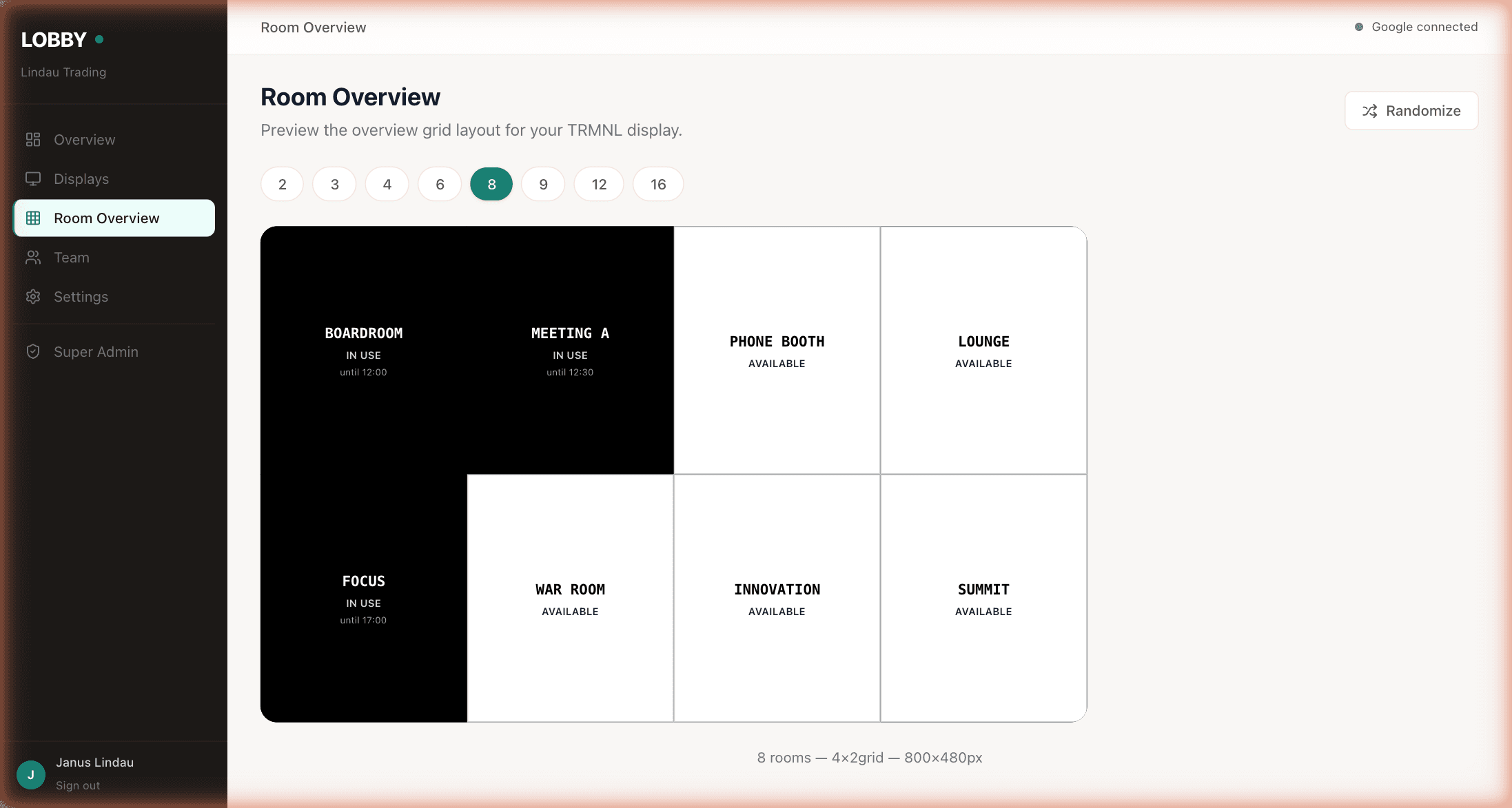
8 rooms · 4×2 grid · 800×480px (same aspect as the TRMNL e-ink).
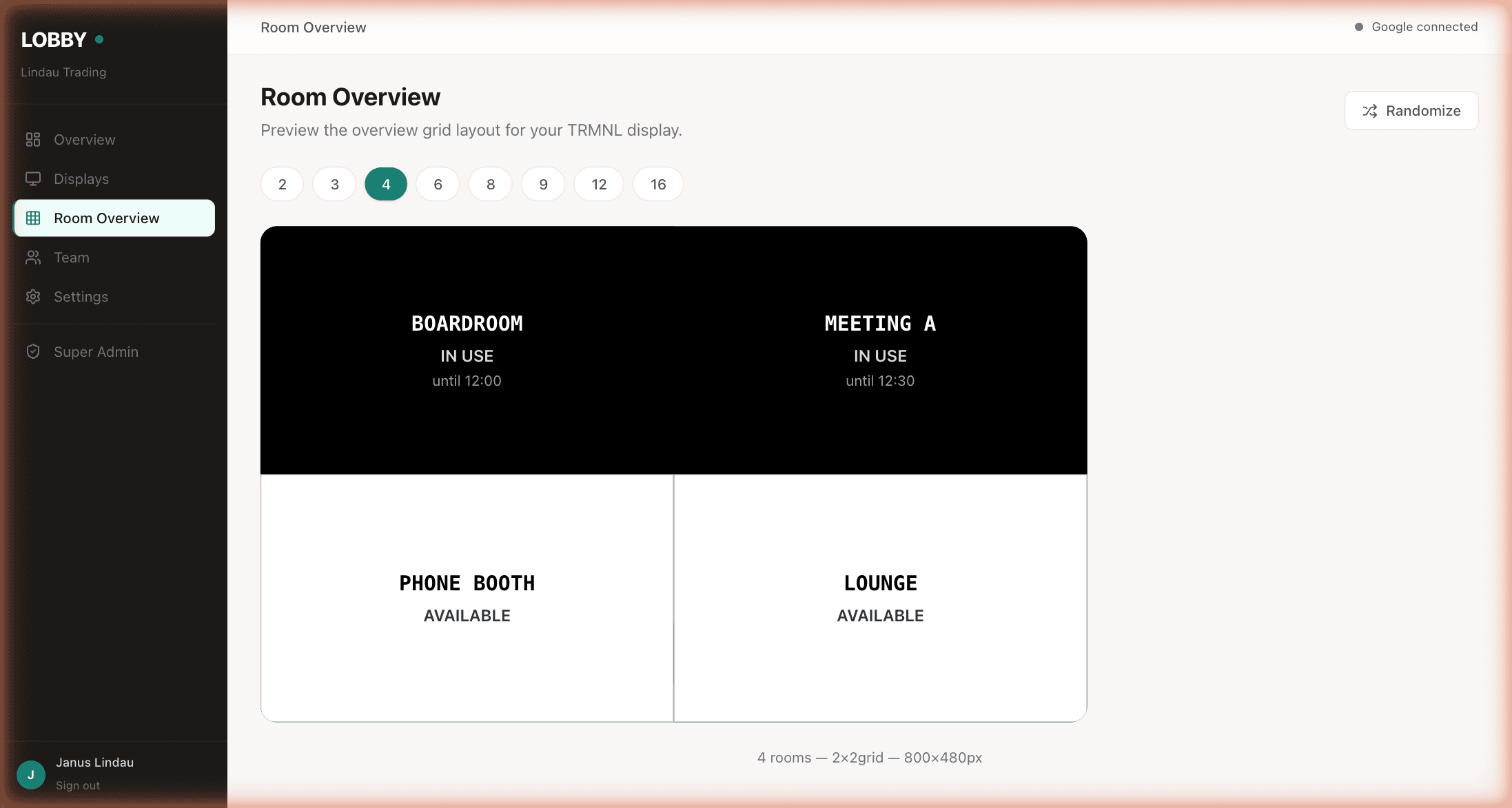
Four rooms, 2×2.
Runs on
Same device, same $139 one-time, same once-a-year charge. Counts as one display on your plan, not one per room it covers.
Open the overview URL on a reception TV, a kitchen monitor, or an old laptop running full-screen. Counts as one display.
- ✓ Pick which rooms appear on the overview
- ✓ Sort by floor, name, capacity, or custom order
- ✓ Grid size adapts — 2, 3, 4, 6, 8, 9, 12, or 16 rooms on one screen
- ✓ Your own branding instead of the Lobby mark (on Pro Unlimited)
- ✓ Randomise or fix the room order across devices
Ten minutes from now, your team will know which room is free.
Free forever for up to 3 displays. Works with your existing Google Workspace or Microsoft 365 calendar. No credit card, no sales call, no IT project.
Get started free →Free forever up to 3 displays · No credit card · Cancel anytime