Room availability,
on the wall outside the room. And on every screen in between.
Lobby is the software that turns your Google Calendar into a live, always-on view of every meeting room. A display outside each room. A single screen summarising the lot. All driven from one dashboard, updated the instant calendars change.
✓ No credit card · ✓ 3 displays free forever · ✓ 10-min setup
Calendar sync
Real-time (under 30s)
Setup
Under 10 minutes, zero IT involvement
Displays per plan
Unlimited on paid plans
Works with
Google Calendar today · Microsoft 365 soon
Manage every room from one dashboard.
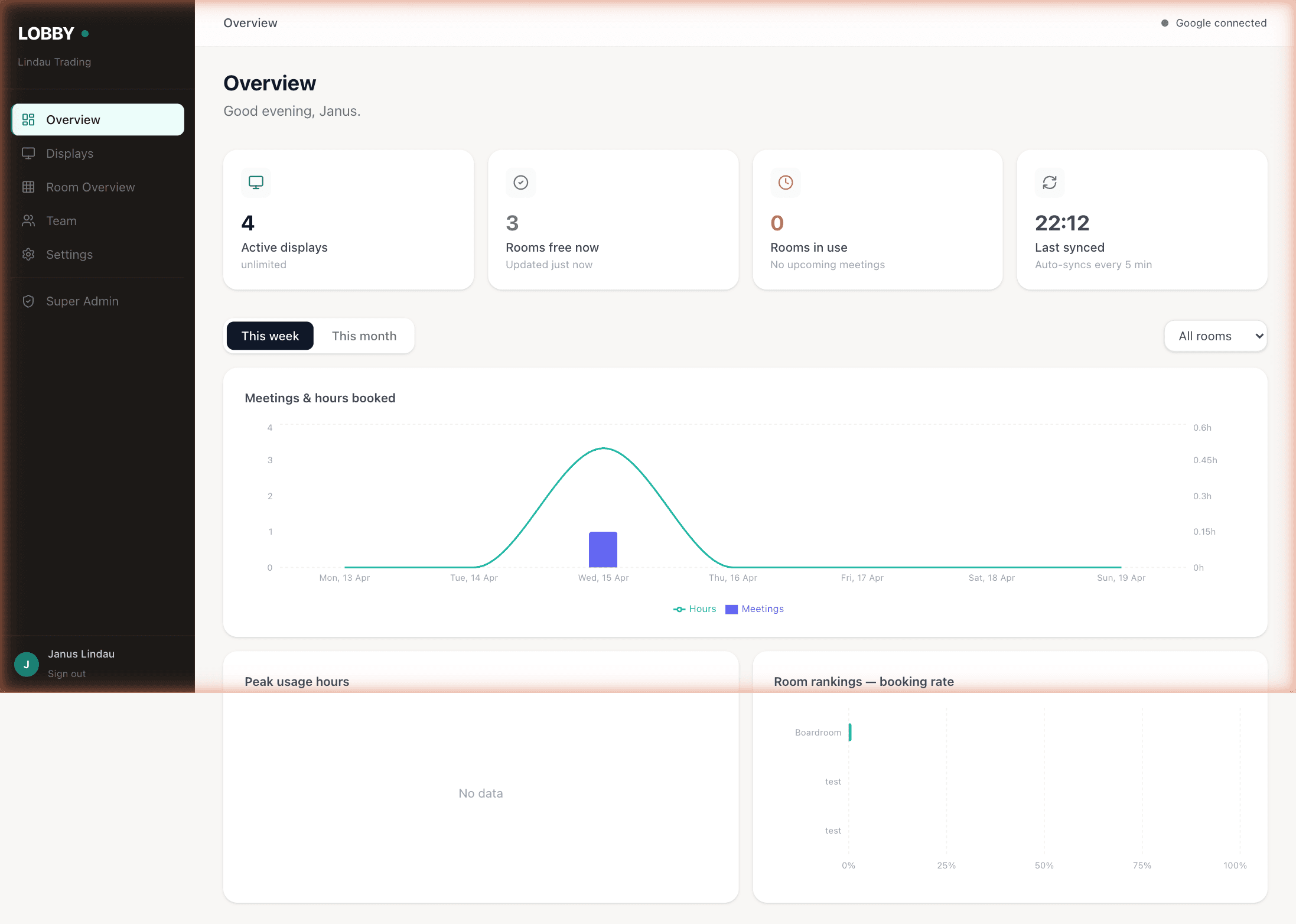
The Lobby dashboard at app.usethelobby.com is where everything happens. Connect Google Workspace. Pair physical displays to rooms. Open a virtual display link for any screen you already own. Pick which rooms appear on your overview display. See battery and sync status at a glance. It’s simple enough that your office manager can run it without training.
- ✓ Connect and disconnect Google Workspace room calendars
- ✓ Pair physical TRMNL displays to rooms in one click
- ✓ Open a secure virtual display URL for any browser, TV, or tablet
- ✓ Configure a room overview — pick rooms, sort order, grid size
- ✓ See battery level and last-sync time for every display
- ✓ Invite teammates with view-only or admin access
- ✓ Usage analytics: peak hours, room booking rates, per-room trends
- ✓ Real-time sync with every calendar change — no manual refresh
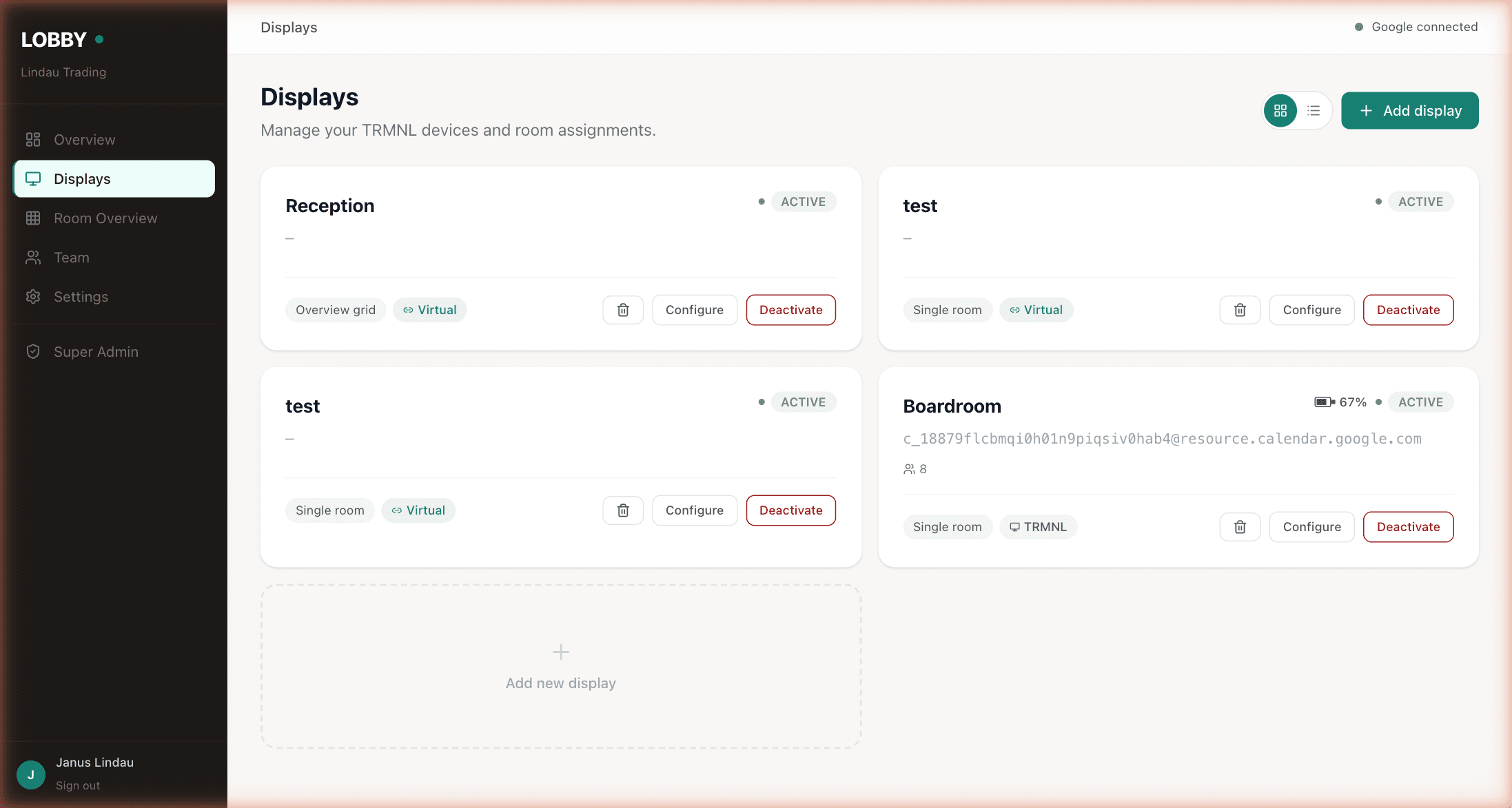
Mix TRMNL e-ink and browser-based displays in the same dashboard.
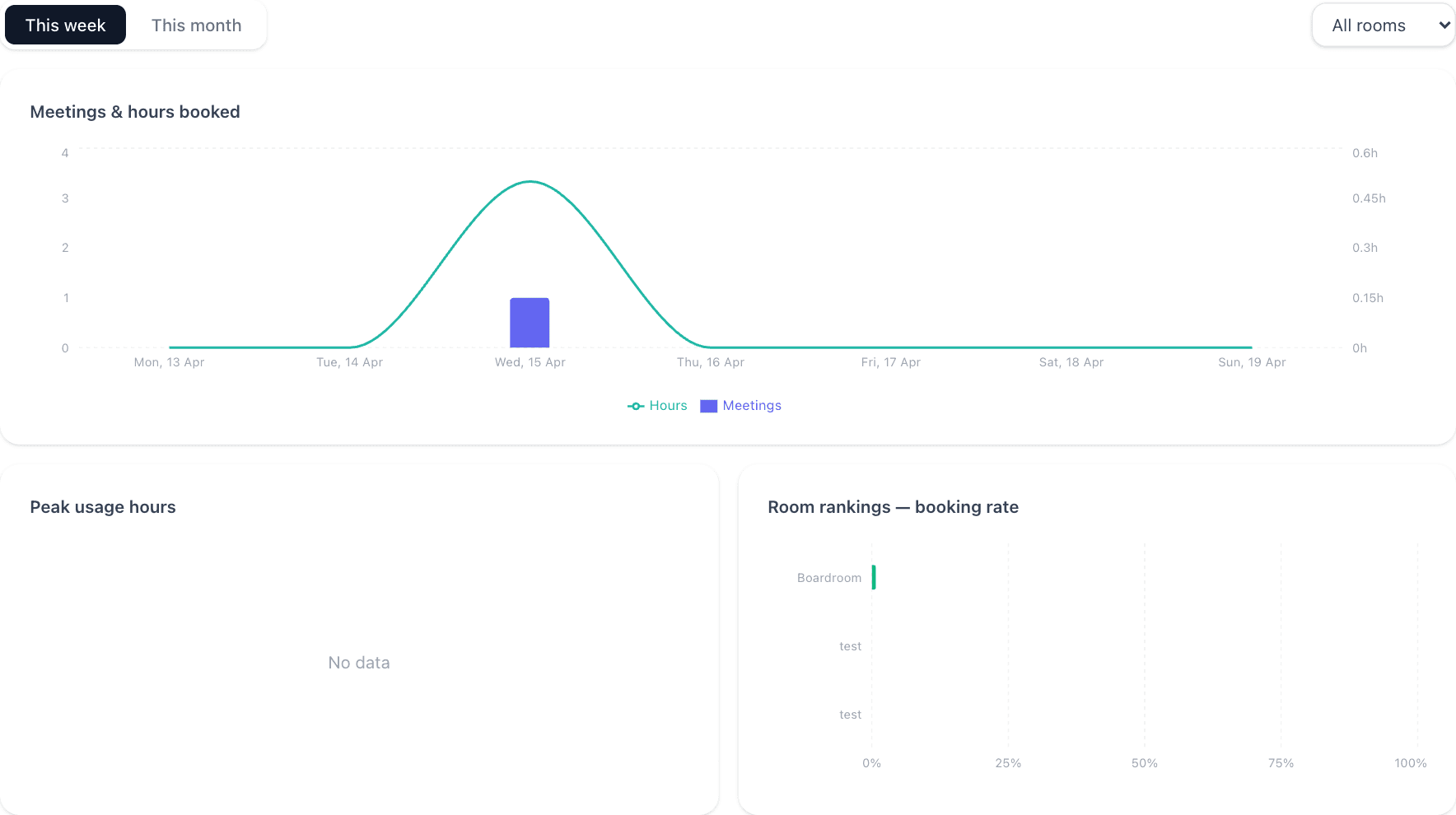
Per-room booking rates and peak-hours insight, included on every plan.
A live status screen outside every room.
Mount a small screen by each meeting room door. It shows the room name, whether it’s free or booked, who’s in there now, and what’s coming up next. It updates the instant someone changes the calendar — no tap-to-refresh, no “syncing…” spinner. Pick the screen that fits your office.
Runs on
TRMNL 7.5" e-ink display
Purpose-built, battery-powered, paper-like. Charges once a year. Readable in direct sun. Magnetic wall mount, no cabling, no drilling. Buy it direct from shop.trmnl.com — we never mark it up.
See hardware details →Any browser, any screen
If it can load a webpage, it can be a Lobby display. Open the secure display URL from your dashboard on an iPad, an Android tablet, a smart TV, an old laptop, a touchscreen kiosk, even a spare phone. No pairing code. No shipping. No mount. Virtual displays count toward your plan the same way physical ones do — up to 3 free forever.
- ✓ Room name and capacity
- ✓ Current status — Available or Booked (with colour)
- ✓ Current meeting title, organiser, and end time
- ✓ Next meeting title and start time
- ✓ "Free for 40 minutes" countdown until the next booking
- ✓ QR code to book from your phone (optional, per room)
Every room, at a glance, on one big screen.
One overview display summarises the whole office. Mount a screen in reception, in the kitchen, or in the hallway outside the rooms. Rooms currently in use go dark; free rooms stay light. One glance answers “is there anywhere I can take this call?” without walking the floor.
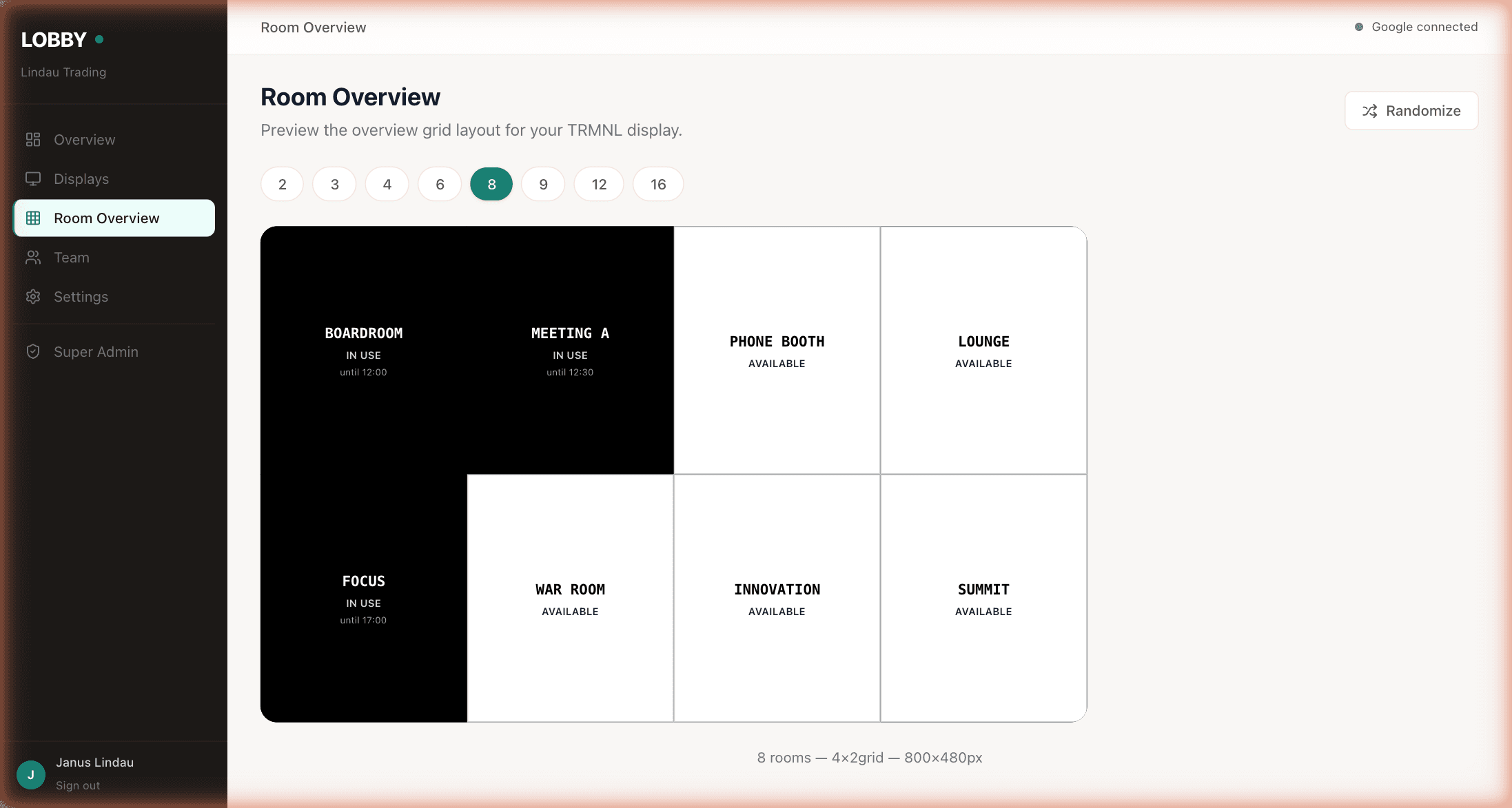
8 rooms · 4×2 grid · 800×480px (same aspect as the TRMNL e-ink).
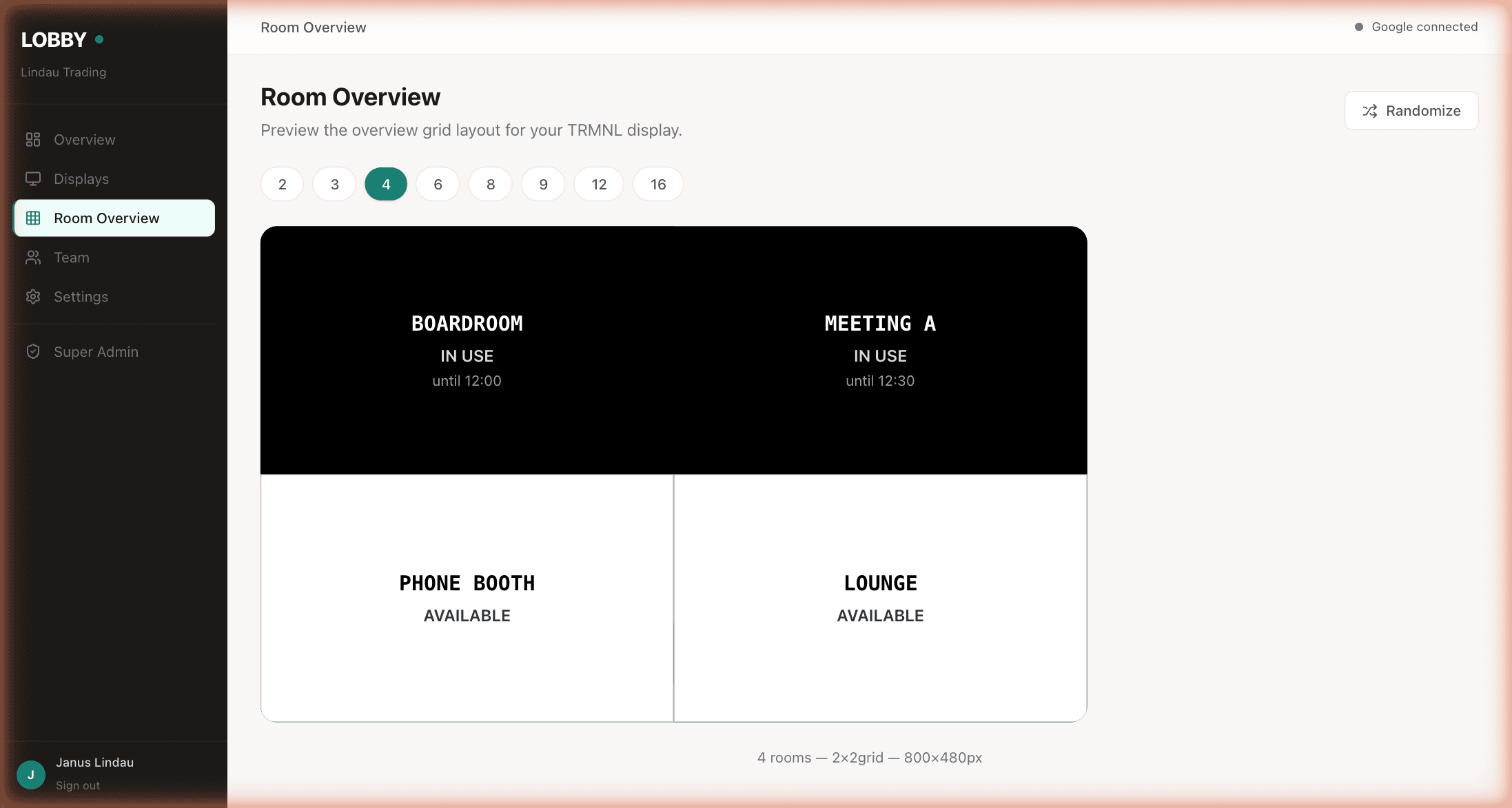
Four rooms, 2×2.
Runs on
Same device, same $139 one-time, same once-a-year charge. Counts as one display on your plan, not one per room it covers.
Open the overview URL on a reception TV, a kitchen monitor, or an old laptop running full-screen. Counts as one display.
- ✓ Pick which rooms appear on the overview
- ✓ Sort by floor, name, capacity, or custom order
- ✓ Grid size adapts — 2, 3, 4, 6, 8, 9, 12, or 16 rooms on one screen
- ✓ Your own branding instead of the Lobby mark (on Pro)
- ✓ Randomise or fix the room order across devices
Everything the team needs. Nothing the team doesn’t.
What Lobby does
- ✓ Real-time Google Calendar sync for every room resource you connect
- ✓ Physical, virtual, and overview displays — all driven from one dashboard
- ✓ Battery level and last-sync monitoring on every physical display
- ✓ Usage analytics — booking rate, peak hours, room rankings
- ✓ Self-serve onboarding, no sales call
- ✓ Role-based team access (view-only or admin)
What Lobby skips
- ✗ No new booking tool — your team keeps booking in Google Calendar
- ✗ No visitor management, no desk booking, no occupancy analytics
- ✗ No on-premises server, no VPN, no IT ticket to get started
- ✗ No forced hardware — virtual displays are a first-class option
- ✗ No "contact sales" gate — every plan and price is on the pricing page
- ✗ No per-room licence, no annual contract lock-in
If you need a full workplace management platform, look at Joan or Robin — they’re good at that, and they charge for it. If you just need rooms that tell the truth, you’re in the right place. Compare Lobby to the alternatives →
Works today with Google Workspace room calendars. Microsoft 365 sync is on the roadmap — drop your email on the pricing page and we’ll tell you when it ships.
Microsoft 365 / Outlook · Coming soonTen minutes from now, your team will know which room is free.
Free forever for up to 3 displays. Works with your existing Google Calendar. No credit card, no sales call, no IT project.
Get started free →Free forever up to 3 displays · No credit card · Cancel anytime